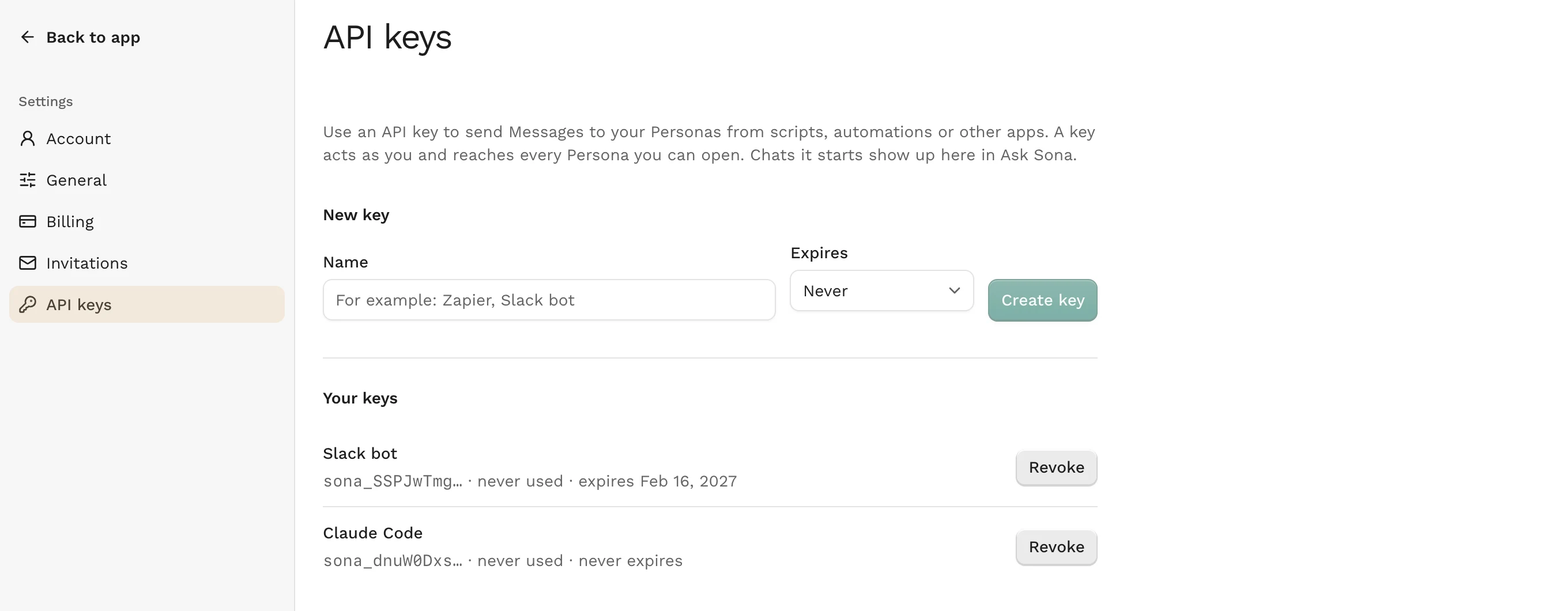
Until now you could only talk to your Personas inside Ask Sona. With an API key, other tools can ask them too.
API keys
Settings has a new API keys page. Give a key a name, choose whether it expires after 30 days, 90 days, a year or never, and create it. The key is shown once, so copy it right away. The list shows when each key was last used and when it expires, and you can revoke a key at any time.
A key acts as you and reaches every Persona you can open. That is why we email you whenever a key is created for your account. If it wasn't you, revoke the key.
An API for scripts and automations
With a key, a script or an automation can:
- list your Personas and Projects,
- send a Persona a Message and get the reply back,
- create a new Persona from a brief. Like in the app, each new Persona uses one of your units.
Chats started through the API show up in Ask Sona, so you can read them there or continue them. A key can make 60 requests a minute, and an account can send 200 Messages a day through the API. The API keys page has an example to try and links the full reference.
Your Personas in AI tools
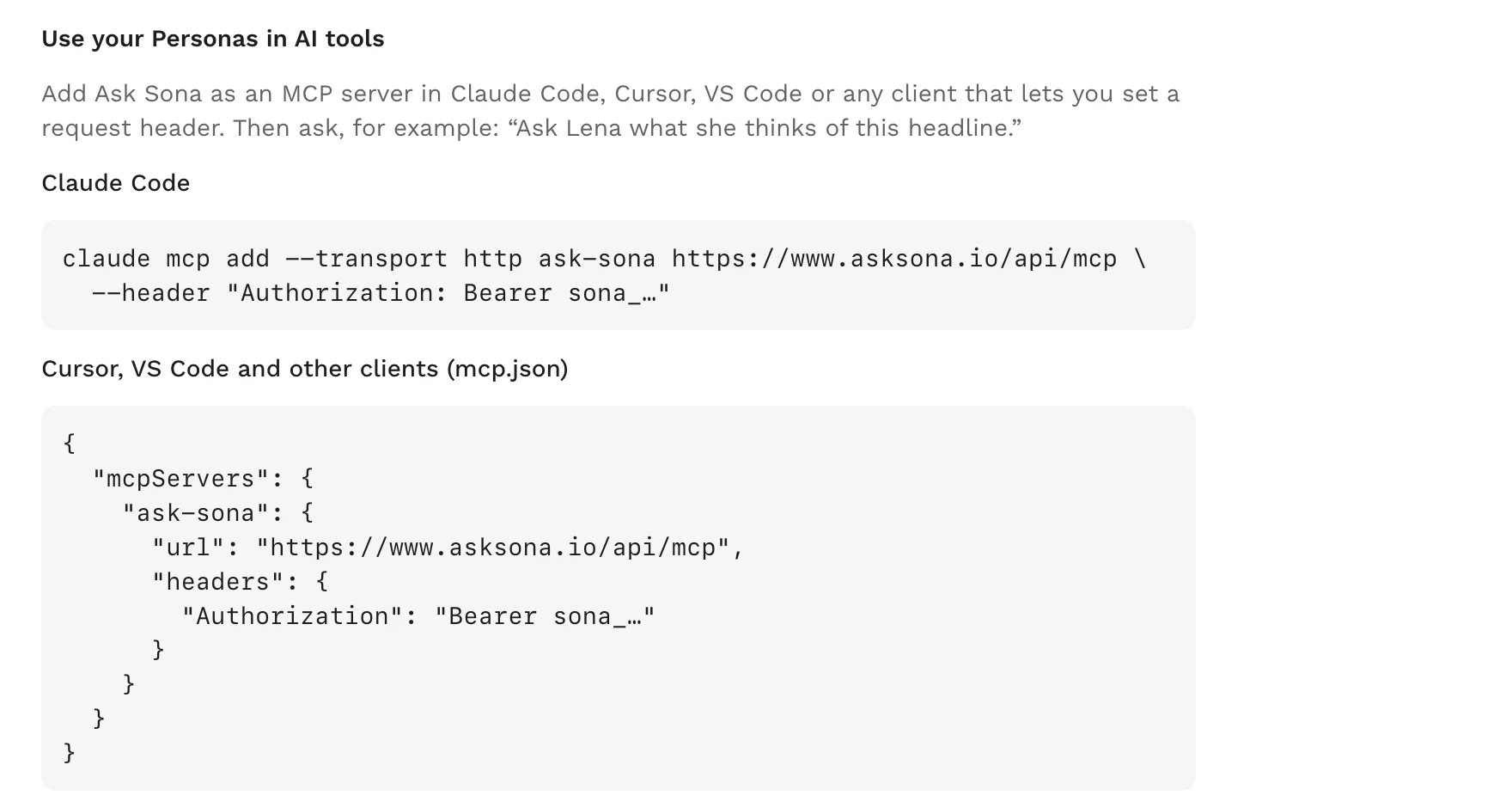
Ask Sona is now also an MCP server. Add it to Claude Code, Cursor, VS Code or any other client that lets you set a request header, and ask in your own words, for example: "Ask Lena what she thinks of this headline." The API keys page has the setup lines to copy.
Connectors for claude.ai and ChatGPT need a sign-in instead of a key. They will follow.
Also in this release
- New Chats get a title again. Since late October they had stayed untitled.
- Creating a Persona fails less often: when the AI provider is busy, or a picture doesn't come back on the first try, Ask Sona now tries again.
- Security updates.