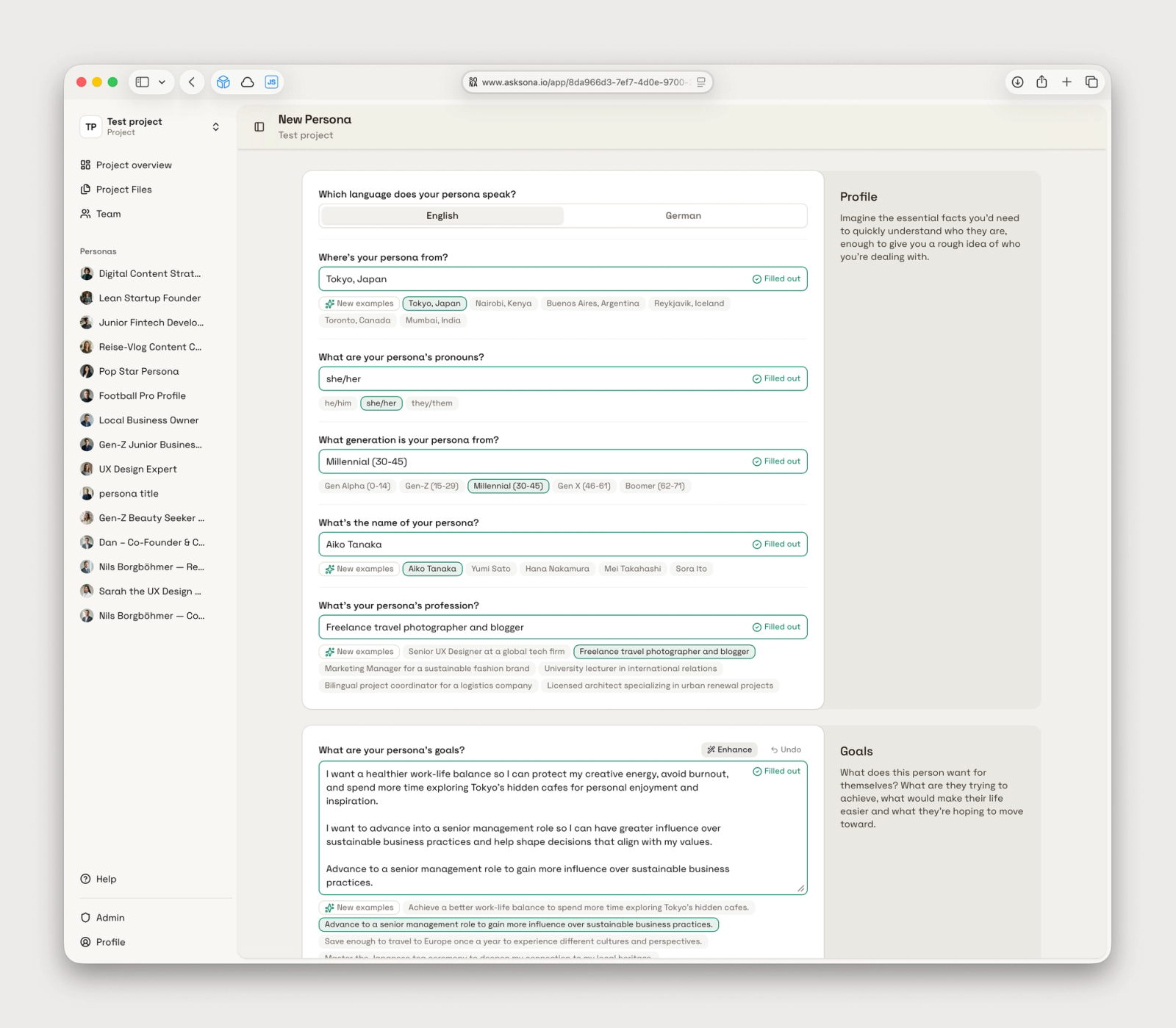
This release focuses on the everyday work of shaping personas and grounding them in project knowledge. The persona wizard is leaner and easier to trust, project files have a dedicated workspace with clearer processing states, and template onboarding sends you to the right place after install. We also tightened a handful of navigation and visual details that were getting in the way.
A calmer, more focused persona wizard
Creating and updating personas now opens directly on the form — the introductory screen is gone, and question fields carry less visual chrome so the content itself stays in focus. Section titles and help text live in a persistent sidebar beside the questions, which makes it easier to understand what each step is asking for without losing your place in the form.
AI example suggestions stay visible after you start typing, and you can request a fresh set with a New examples action when you want different inspiration. The Undo control is always shown next to Enhance — disabled until you have something to revert — so it is clear you can recover your own wording after an AI rewrite.
When you update a persona via AI, a Cancel button takes you back to the persona page without starting a run. Wizard sidebar help can also link to relevant knowledge-base articles, so guidance can evolve without waiting on an app deploy.
For users, this means less hesitation in the wizard, fewer dead ends when exploring AI suggestions, and a setup flow that reads more like guided work than a sequence of heavy form panels.
Project files in their own workspace
Every project now has a Files entry in the sidebar. Uploads, processing status, summaries, insights, and quotes live in a two-pane workspace: a file list on the left and a detail view on the right, instead of being tucked into a corner of the project overview.
You can drag files into the list to upload, watch processing progress with clearer status copy, and inspect extracted text when a file is ready. Optional guidance per file lets you tell Ask Sona what a document is and how personas should use it — for example, that interview notes should ground motivations but not be treated as statistically representative.
Behind the scenes we also reworked the file-processing pipeline for more reliable extraction and enrichment. The practical benefit is a steadier path from upload to usable project knowledge, with fewer confusing states while files are still preparing.
Clearer paths from templates to your project
Template install flows now redirect based on where you started. Sign up from a public template page and you land on the project; add a template from inside a project and you land on the new persona. In-app template detail pages also load reliably when a trial preview cannot be hydrated, instead of showing a 404.
You can add the same template to a project more than once — each install is an independent persona, not a duplicate tied to the original trial copy. That makes templates useful for variations within one project, not just a one-time shortcut.
Other improvements
The marketing header shows a Log in link for returning users. Async actions such as template install and auth flows keep their buttons in a loading state until navigation completes, so you are less likely to click twice. We fixed several small visual issues — centered photo-generation spinners, tier-limit badges that no longer clip on narrow screens, more readable success toasts in dark mode, and template descriptions in the admin library list.